

3 Practical Tips for Reducing Printer Usage in Your Office
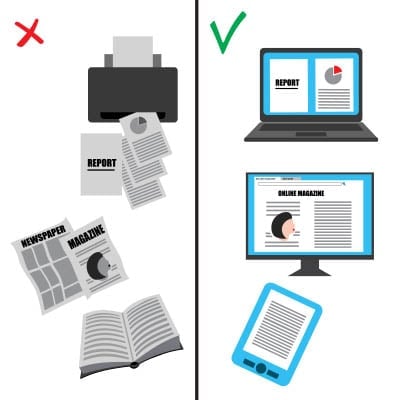
In nearly every office, the printer hums along, a familiar backdrop to the workday. Have you ever paused to consider how much all that printing really adds up? If the average office worker might use around 10,000 sheets of paper annually, as some studies suggest, that is far too high with the technology that’s available to us today. That’s a significant impact on budgets and the environment.
Gaining control over your printing isn’t just about saving trees or trimming expenses, it’s about building smarter workflows and boosting overall efficiency. Let’s go into three practical tips to help your business reduce its reliance on the print button.
Embrace the Digital Shift and Work Smarter in the Cloud
Going digital today means more than just emailing a PDF. It’s about leveraging modern tools that streamline how you create, share, and store information. Think comprehensive document management systems, versatile cloud storage solutions, and collaborative platforms.
Imagine transitioning from a workflow that involves printing, signing, scanning, and re-filing documents to one where contracts are signed electronically and stored securely in a centralized digital repository. This shift not only saves paper but also enhances accessibility, version control, and searchability. It’s an evolution in efficiency, much like how we’ve moved from physical ledgers to sophisticated accounting software.
Cultivate Mindful Printing Habits
How often does a document get printed, only for an error to be spotted immediately, or for someone to realize they only needed a single page from a lengthy file? These small instances accumulate.
Encouraging mindful printing habits can make a substantial difference:
- Proofread on screen – A final review on your monitor before hitting print can catch most errors.
- Utilize print preview – This essential tool helps you see exactly what will be printed, allowing you to select only necessary pages and adjust formatting.
Think of it as a craftsman measuring twice before making a cut. That brief moment of review ensures accuracy and prevents waste.
Make Efficiency Automatic
Your printer’s default settings are a powerful, yet often overlooked, tool for conservation. Many businesses operate with factory settings that aren’t optimized for resourcefulness.
White Mountain IT Services often advises clients on these impactful adjustments:
- Set double-sided printing as the default – This simple change can effectively halve paper consumption for many print jobs with no extra effort from your team.
- Default to black and white – Color printing is significantly more costly. Reserve it for documents where color is crucial for impact or clarity.
- Explore printer options – Follow-me printing technology holds print jobs until the user authenticates themselves at the printer. It prevents unclaimed documents from piling up and also adds a layer of security for sensitive information.
These are simple changes that yield ongoing benefits, much like programming a smart thermostat for energy savings.
Ready to Streamline Your Printing and Enhance Productivity?
Reducing your reliance on office printers offers a cascade of benefits: lower operational costs, improved workflow efficiency, better document security, and a reduced environmental footprint. It’s about working smarter, not just harder.
The team at White Mountain IT Services specializes in providing proactive business technology support for organizations. We can help you assess your current printing practices, implement effective digital solutions, and configure your technology to support more efficient and mindful resource use.
If you’re interested in learning how White Mountain IT Services can help your business optimize its technology and reduce unnecessary printing, please give us a call today at (603) 889-0800.