


If you still view your IT department as a mere secondary expense, you are likely overlooking the most significant threat to your company’s profitability. In today’s landscape, digital infrastructure isn’t just a static utility; it is the very plumbing of your revenue. It functions as either a reinforced vault protecting your hard-earned gains or a porous sieve where your margins quietly drain away. To truly safeguard your legacy, you must look past the technical jargon and recognize a fundamental truth: cybersecurity isn’t a tech problem relegated to a basement office—it is a direct and measurable pillar of your financial stability.

To many business owners, modern technology feels like a black hole; a recurring line item that keeps getting more expensive without ever making life noticeably easier. If you have ever felt like you are buying software just to keep up rather than to get ahead, you are not alone. The goal should not be to buy more IT. The goal is to capture value. Here is how to bridge the gap between technical complexity and business growth.
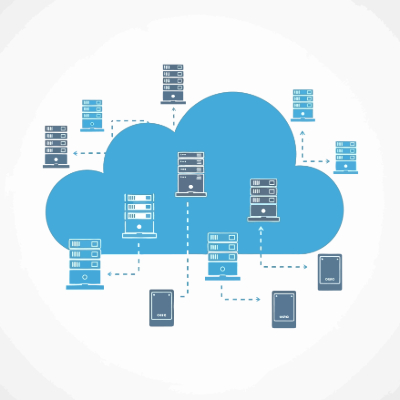
If your cloud bill is the second-largest line item after payroll, but you still can’t explain exactly what you’re paying for, you aren’t running a lean operation. You’re paying a significant and ever-expanding growth tax. For a business owner, cloud tracking isn’t about technical metrics like CPU usage or latency; it’s about margin preservation. It is the difference between scaling your profit and simply scaling your provider’s revenue. If you want to stop the end-of-month heart attack, you need to turn technical voodoo into a manageable business asset.
There are two types of digital transformation. There’s the kind that streamlines a business into a powerhouse, and there’s the kind that turns into a ghost ship; perfectly automated, technically efficient, and completely devoid of life. Right now, we are witnessing a massive shift in the way people do things. While your competitors are busy bragging about replacing their support staff with agentic AI, what they are often doing is building a wall between themselves and their customers.

With AI now being used by adversaries to reverse-engineer patches and generate exploits in hours rather than weeks, our old Patch Tuesday rhythm is essentially an open invitation to hackers. The truth is, the patching gap is a competitive weakness. If we want to protect our organizations without drowning our teams in manual toil, we have to stop treating patching as a checklist and start treating it as a dynamic, intelligent discipline. Here is how we’re rethinking the vulnerability situation.